
Step 1: Check Your Mac Information
Before installing the printer, please check your Mac version.
- 1. Click Apple Menu in the top-left corner.
- 2. Select About This Mac.
- 3. Check:
- macOS Version Chip
- Processor
Example:
macOS Version: macOS Sonoma 14.5
Chip: Apple M2
Step 2: Choose the Installation Method
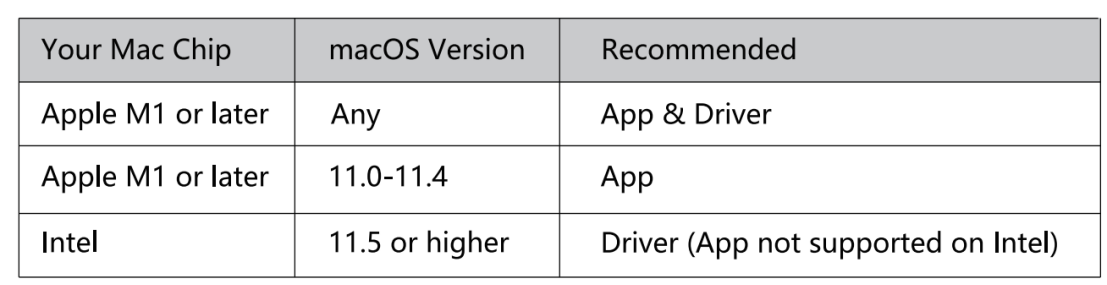
For the procedure or more information, refer to [ Download User Manual ]